Problem
If you cannot get correct geolocation result from map website on Google Chrome, it may be because geolocation didn’t enable operation system location API.
Solution
Enter chrome://flags in address bar. There would show some experimental features.
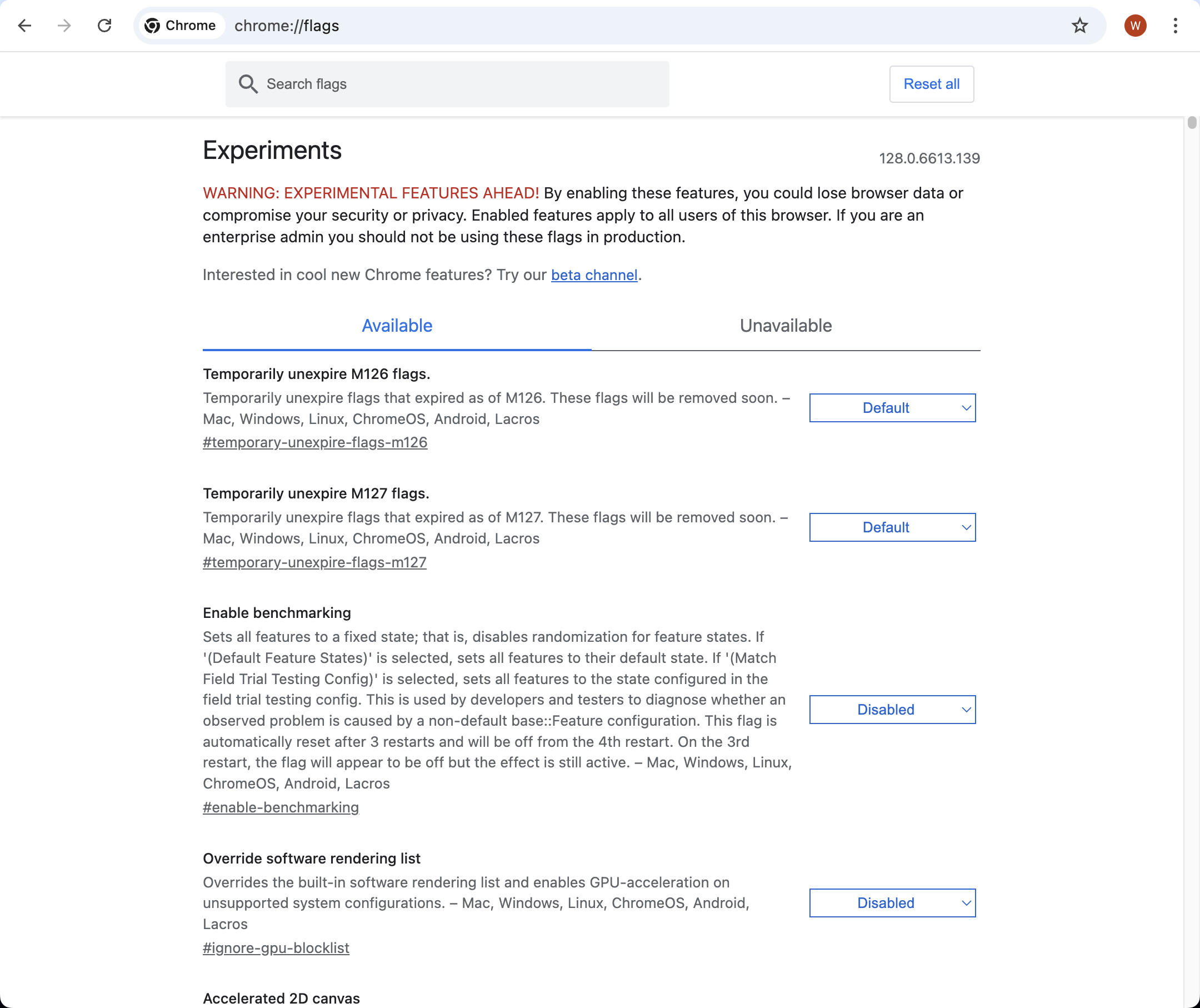
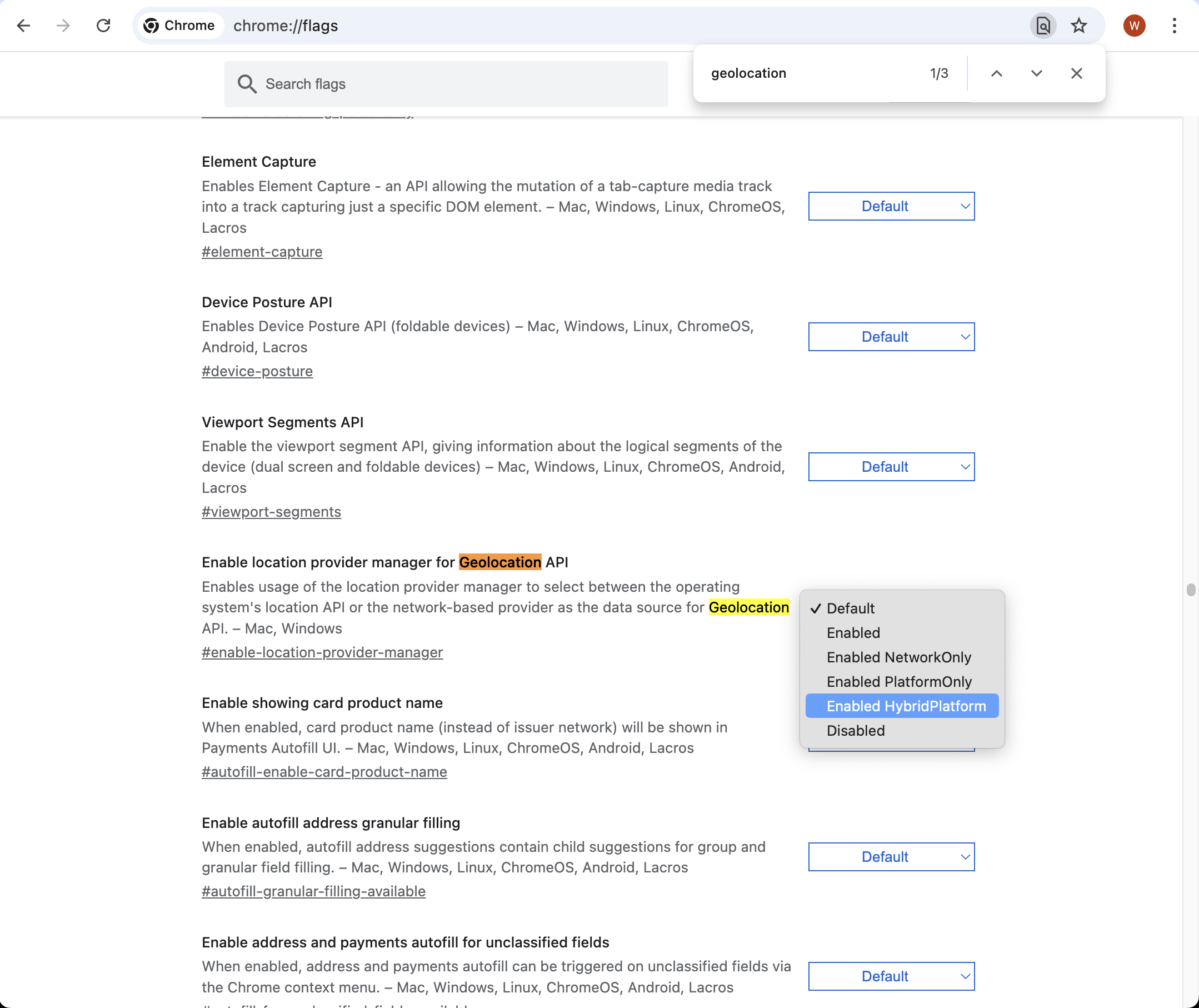
Search geolocation on this page.
Next, change setting Enable location provider manager for Geolocation API value to Enabled HybirdPlatform.
Last, relaunch the Google Chrome, by pressing Relaunch button.
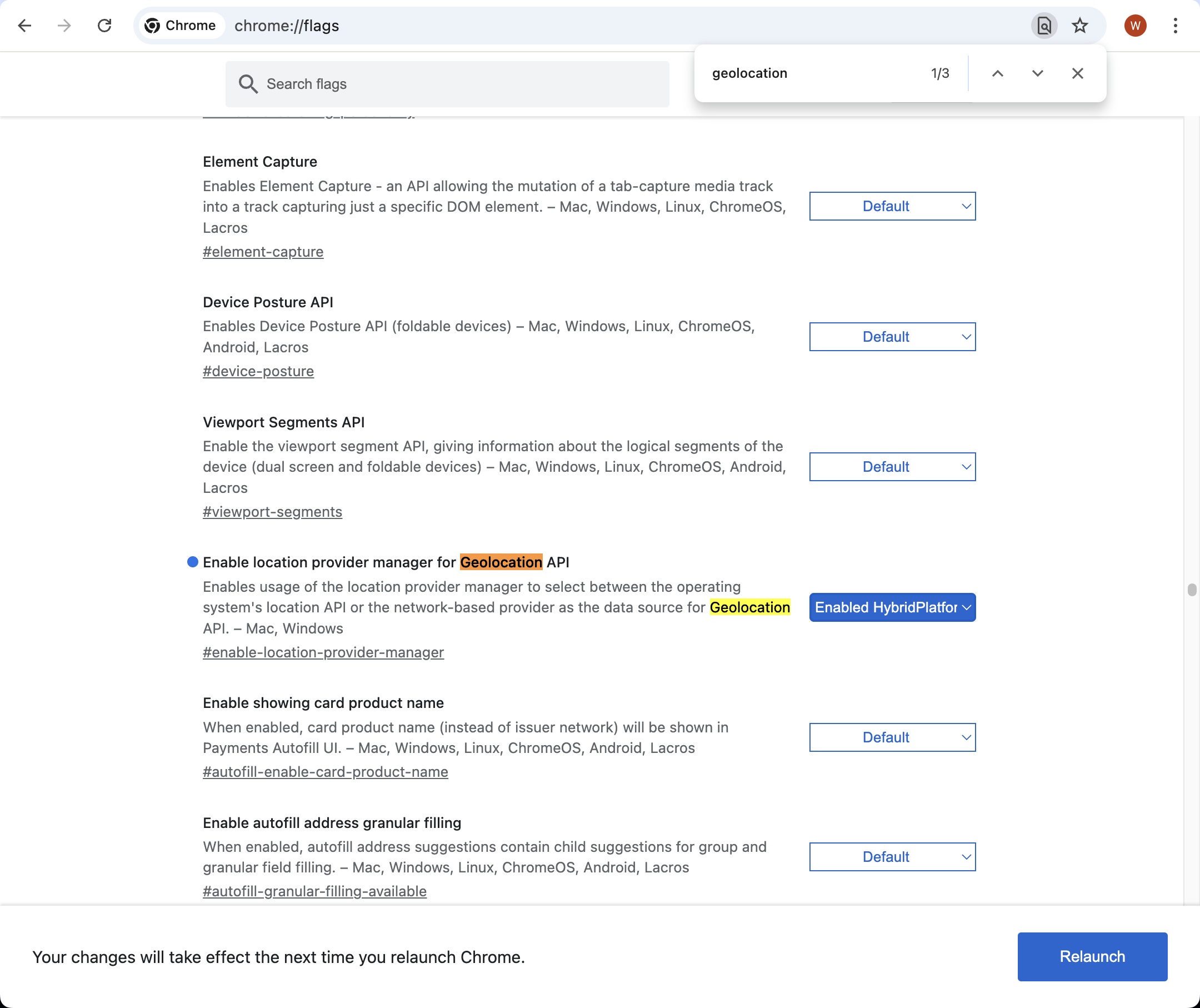
After the Google Chrome restarted, geolocation would using platform api to location on map website.